

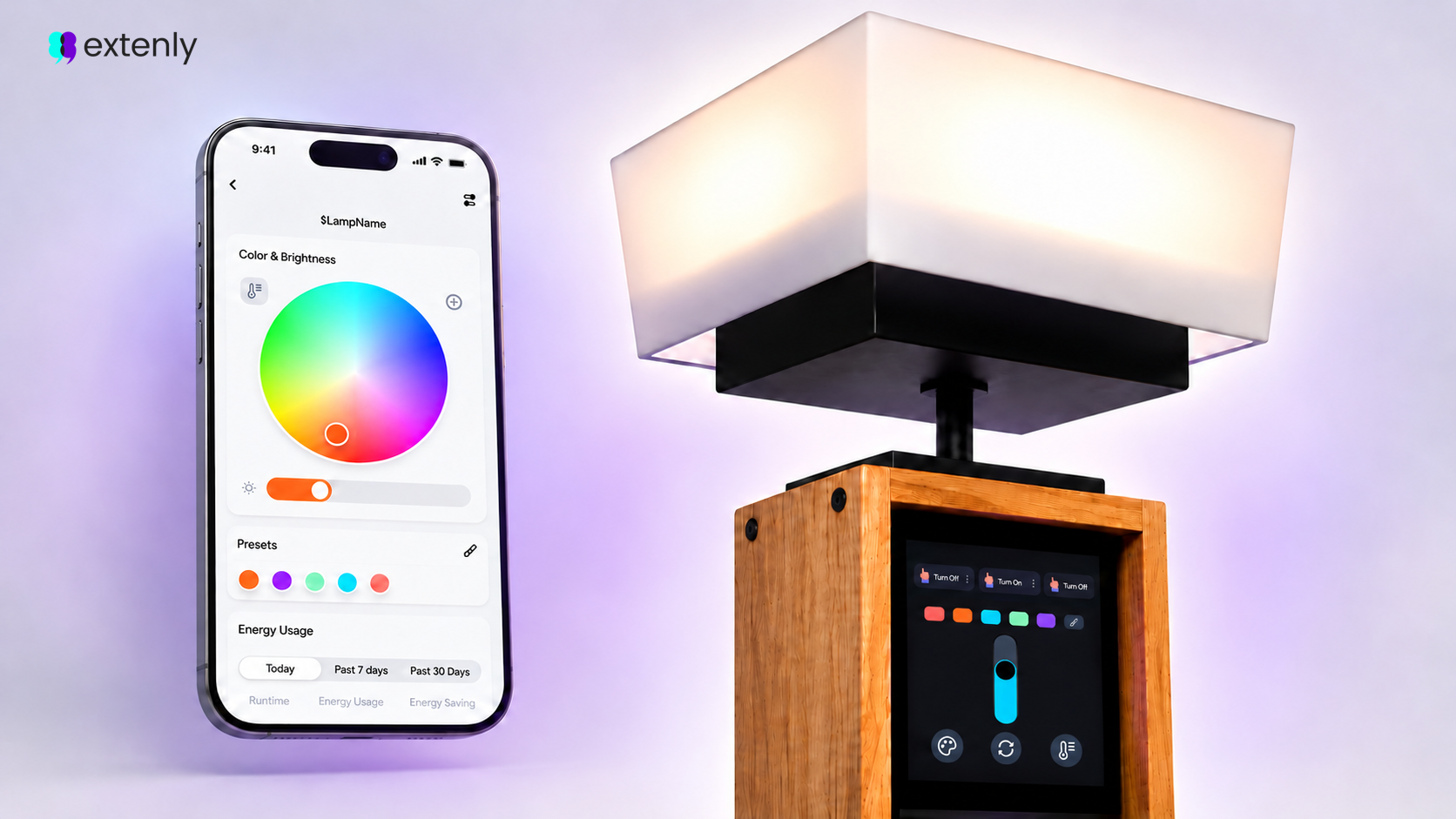

Qt/QML, Gentoo and AWS IoT in a connected embedded system
Extenly built a cloud-connected smart lamp to explore how a Qt/QML embedded interface could work across a dedicated device and a mobile companion app. Running on a Gentoo-based Raspberry Pi Zero 2 W, the prototype combines a local touch interface, PWM-controlled RGB lighting, an AWS IoT device shadow and an AWS IoT ExpressLink module. This article follows the architecture, implementation decisions and engineering lessons that emerged while bringing the system together, from the embedded platform and QML interface to remote synchronisation and the mobile client.
The project context and technology choices
- Qt/QML on embedded Linux: one declarative UI codebase that runs fullscreen on a small touch panel, with no window system, and on Android and iOS with the same component library.
- Gentoo: a lean, source-built target where we control exactly which libraries and features end up on the device.
- AWS IoT device shadow: a cloud-hosted JSON document that stores the lamp’s desired and reported state, allowing the phone to control the lamp and receive updates remotely.
- AWS IoT ExpressLink: a serial-attached module that handles WiFi, TLS and MQTT, so the Pi never stores a private key or links an IoT SDK.
The prototype combines a cross-built Qt application, a shared C++ state model , QML-driven PWM control and an AWS IoT device shadow to keep the clients and device in sync without feedback loops.
Prototype architecture
The prototype had four main parts, with the device shadow in AWS IoT Core as the only shared layer between the lamp and the phone.
| Component | Runs on | Role |
|---|---|---|
| Device app | Raspberry Pi Zero 2 W, Gentoo, Qt 6.8.2 u-blox USB-NORA-W2 kit on the Pi’s UART | Fullscreen QML touch UI (eglfs), drove the LEDs, owned the reported state and received the desired state |
AWS IoT ExpressLink module | u-blox USB-NORA-W2 kit on the Pi’s UART | Handled WiFi, TLS, the X.509 identity and MQTT through AT commands |
| AWS IoT Core | Cloud | Provided one thing per lamp through a classic (unnamed) device shadow |
| Mobile client | Qt 6.8.2 for Android and iOS + aws-sdk-cpp 1.11.316 | Reused the same QML component library, published the desired state and received the reported state |
State moved in two directions:
- In the prototype, touch input on the lamp changed the PWM output immediately and marked the state dirty. A 500 ms timer then published state.reported through the ExpressLink, and AWS forwarded the new document to the phone.
- When the phone sent a command, the client published state.desired at most once per second. The Pi polled the ExpressLink for events every second, fetched the message, updated the lamp and reported the new state on the next 500 ms tick, closing the loop.
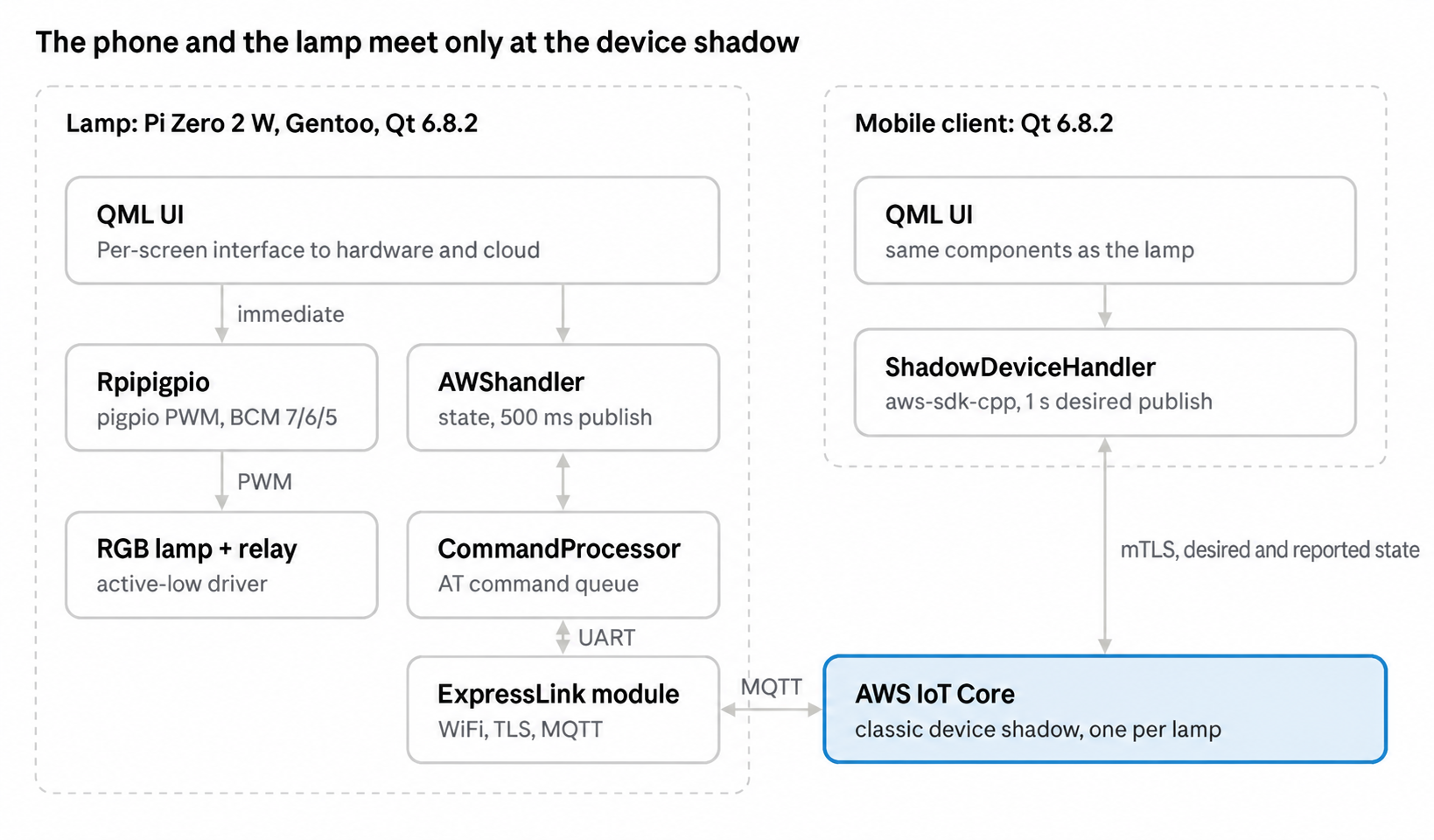
Local touch reached the LEDs directly; only the state, never the commands, went through the cloud.
The polling design set the latency floor. Lamp-to-phone communication took up to 500 ms of device debounce plus network time. Phone-to-lamp communication took up to 1 s of client debounce, up to 1 s of event polling and one AT+GET round-trip. We did not measure end-to-end latency, so these were design bounds rather than benchmarks.
The hardware
The prototype used a 64-bit Raspberry Pi Zero 2 W with an 800×480 touch panel, a PWM-driven RGB LED stage and an ExpressLink module on the serial port.
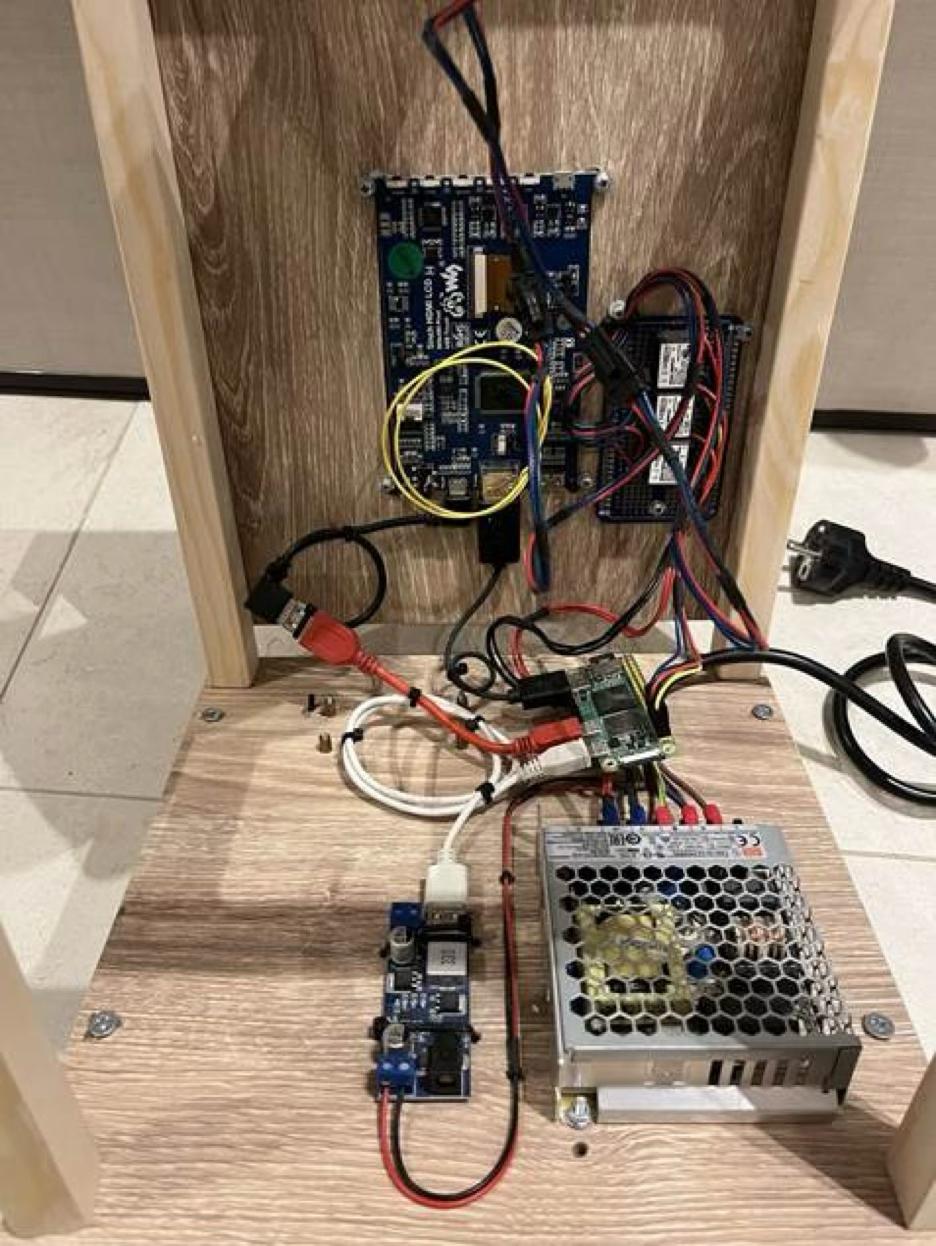
The prototype hardware assembled inside the lamp enclosure, including the Raspberry Pi, ExpressLink module, LED driver and power supply.
Display
The panel was mounted in portrait, so the whole QML scene was rotated 90° in Main.qml. It was rendered over KMS/DRM (dtoverlay=vc4-kms-v3d), and touch arrived as ordinary Qt touch events with no extra input configuration.
Lamp
The RGB channels were driven with software PWM through the pigpio library. The driver stage was active-low, so the duty cycle was inverted in code. Pin assignments used BCM numbering:
| Signal | GPIO | Mode |
|---|---|---|
| Red | 7 | PWM, range 0–255, inverted |
| Green | 6 | PWM, range 0–255, inverted |
| Blue | 5 | PWM, range 0–255, inverted |
| Lamp relay | 8 | Digital out |
| Display backlight | 24 | Digital out, driven high at boot by gpio=24=op,dh |
Cloud link
A u-blox USB-NORA-W2 evaluation kit running the AWS IoT ExpressLink firmware was wired to the Pi’s UART pins (TX, RX, GND) and appeared as /dev/ttyS0 at 115200 8N1, without flow control. The module stored its own certificate and WiFi credentials, so nothing security-sensitive was stored on the Pi’s SD card.
Building the Gentoo platform for the prototype
Everything for the Pi was cross-compiled on an x86_64 Gentoo workstation with crossdev, then deployed to a 64-bit Gentoo root filesystem running OpenRC.
The cross toolchain used in the prototype
crossdev built a GCC 13 toolchain for the aarch64-unknown-linux-gnu tuple. We copied the device’s root filesystem into a local sysroot so that Qt linked against exactly the libraries available on the Pi.
The CMake toolchain file pointed at that compiler and sysroot, used -march=armv8-a, and pinned EGL, GLESv2, gbm and libdrm to the sysroot’s /usr/lib64. Without that pinning, Qt’s eglfs KMS backend tended to pick up host libraries and silently drop out of the configuration.
The Qt 6.8.2 build used for the Pi
Qt cross-compilation took place in two steps: first, a host Qt build provided the build tools; then the target Qt build was configured with the toolchain file. The result was installed to /opt/qt/6.8.2 on the device. The application used Gui, Qml, Quick, QuickControls2, SerialPort, Sql and VirtualKeyboard.
The boot configuration used in the prototype
The ExpressLink needed the UART for itself, which was easy to get wrong. In /boot/config.txt, we enabled 64-bit mode and the UART (arm_64bit=1, enable_uart=1), loaded the vc4-kms-v3d overlay for KMS/DRM rendering with max_framebuffers=2, and drove the backlight pin high at boot with gpio=24=op,dh.
In the prototype, we removed the console=serial0,… entry from cmdline.txt and disabled any getty on ttyS0 in /etc/inittab. Otherwise, the kernel or a login prompt competed with the application for the serial port.
Starting the application at boot
An OpenRC service, /etc/init.d/smartlamp, ran the application in the background with the eglfs platform plugin (QT_QPA_PLATFORM=eglfs), pointed QML2_IMPORT_PATH and LD_LIBRARY_PATH at the application’s QML modules and Qt 6.8.2 libraries, wrote its output to a log file, and waited for local filesystems to be mounted.
We enabled the service with rc-update add smartlamp default. It ran as root because the application linked libpigpio directly instead of going through the pigpiod daemon, and direct GPIO access required root.
The device UI in QML
The UI was plain QML on top of two C++ components: one held the lamp state and talked to the cloud, while the other drove the LEDs. Both were shared by every screen, so all of the UI worked with the same objects.
The authoritative lamp state lived in C++, not QML, so the cloud code and the UI always read the same values.
Screens
The app had four areas: a home screen with a vertical brightness slider and a presets strip, a color picker, presets and settings (WiFi, lamp name and a QR code for sharing the device). A custom Qt Quick Controls 2 style gave it a consistent look. An idle timer blanked the screen after 5 minutes without input.
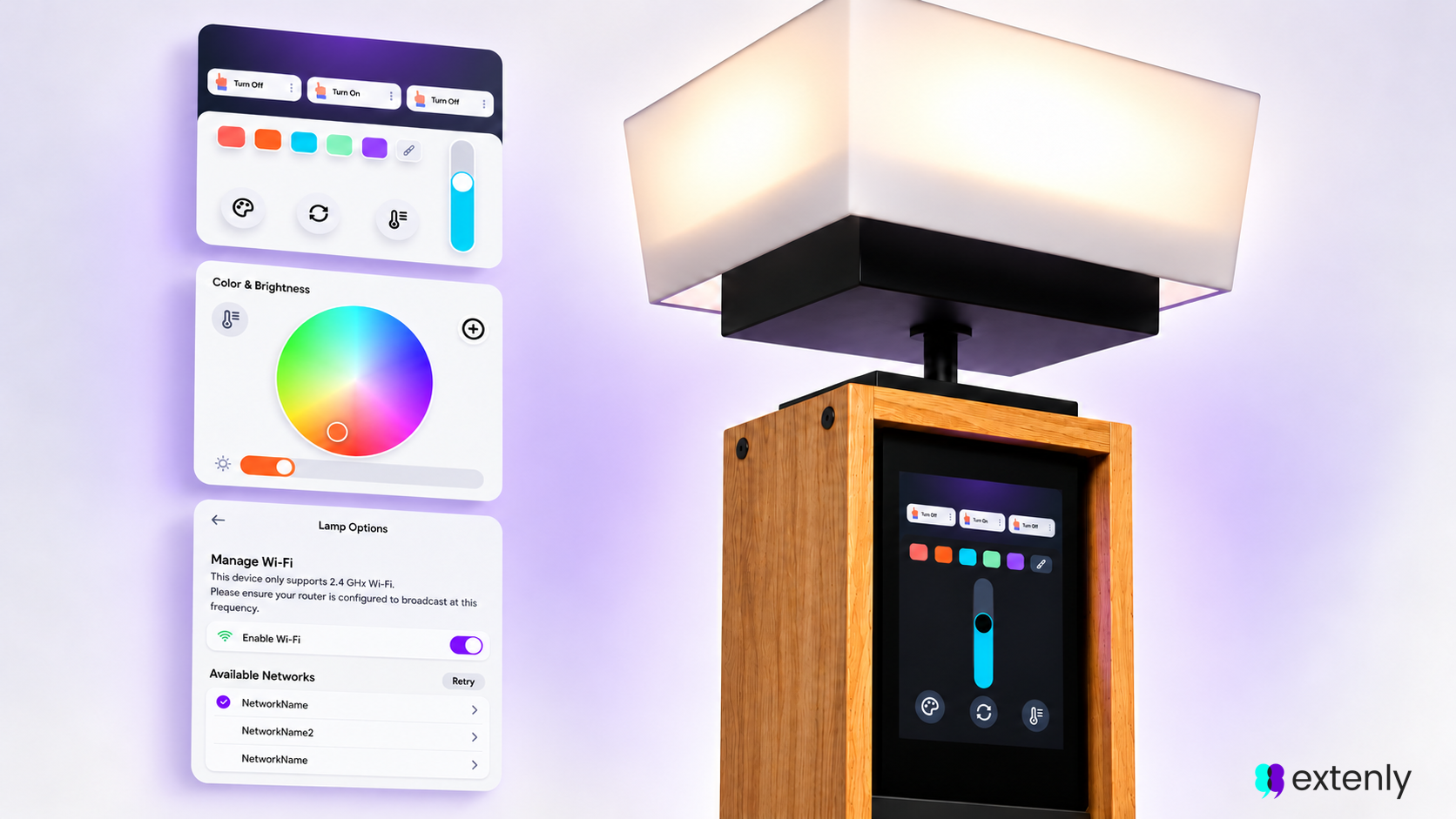
A color wheel without color math
The color picker sampled the pixel under the draggable pin from the wheel image itself. There was no HSV conversion: the image was the lookup table. Switching to “temperature” mode swapped in a white-tones wheel image and set colorPicker to 0.
The prototype handled two-way sync with a feedback-loop guard. A local change went to the LEDs immediately and to AWShandler for publishing. A cloud-originated change set a guard flag before being applied, so it was not published again.
The pattern was small but removed a whole class of bugs. Without the flag, every remote change would have bounced back to the shadow as a new local change.
Driving the lamp with pigpio
Rpipigpio turned a QColor and a brightness value into three PWM duty cycles in about a dozen lines. Each channel was the color component scaled by brightness and by a configurable current-limiting factor. With a PWM range of 255, the value written to each pin was 255 minus the channel value, which inverted the duty for the active-low driver. QML called the LED driver directly, so the lamp responded to the slider immediately instead of waiting for a cloud round-trip.
Talking to AWS IoT through ExpressLink
On the device, there was no AWS SDK: the whole cloud stack was a set of AT commands written to a serial port. AWS IoT ExpressLink firmware handled WiFi, TLS, the device certificate and MQTT, while the Pi only formatted strings.
The prototype used the classic shadow as plain MQTT topics. Topic 1 published updates and topic 2 received the accepted documents:
| ExpressLink slot | MQTT topic | Direction |
|---|---|---|
| Topic 1 | $aws/things/<THING>/shadow/update | Publish reported state |
| Topic 2 | $aws/things/<THING>/shadow/update/accepted | Receive merged documents |
The app sent commands to the ExpressLink as plain-text lines over the serial port, through two queues so that urgent commands could go first.
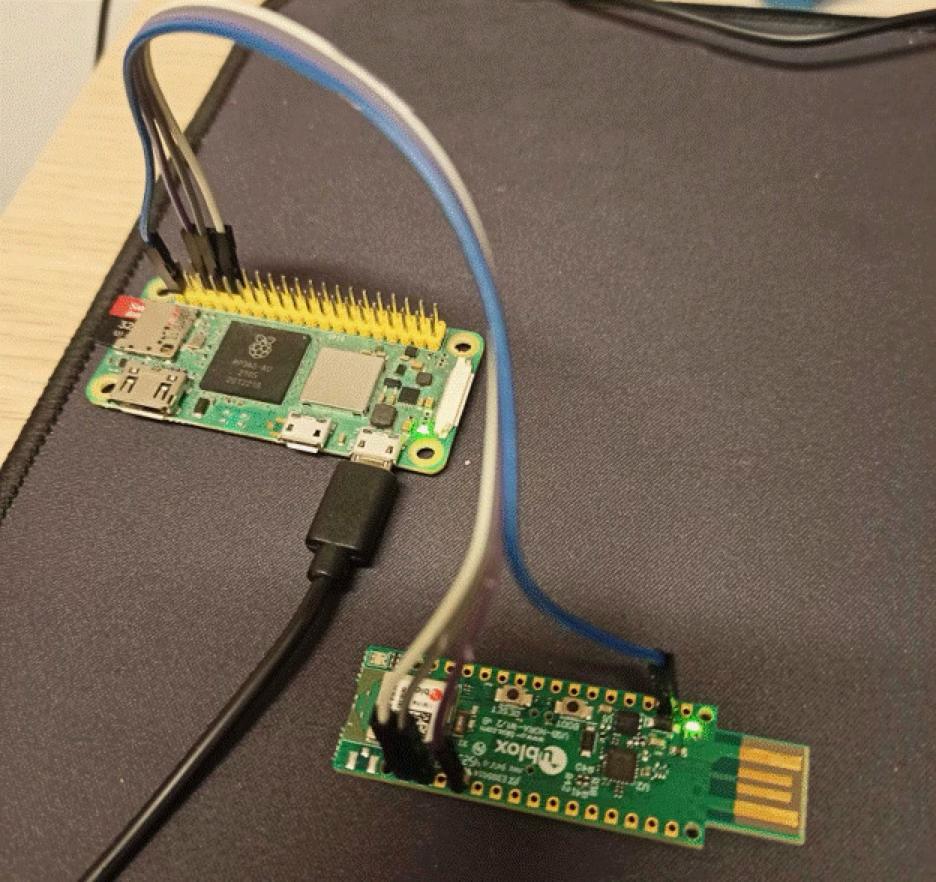
The Raspberry Pi Zero 2 W connected to the AWS IoT ExpressLink module over UART.
Receiving worked by polling. ExpressLink did not push messages to the host. It queued them, so the app checked for new events once per second and fetched any shadow update that had arrived.
Sending was debounced. A UI change only marked the state as changed, and a 500 ms timer published the new reported state. Nothing was sent while the user was still dragging the color pin, which would otherwise have flooded the link.
The shadow document held the same lamp state twice: the device wrote it as reported and the phone as desired.
A connection check every 5 seconds reconnected the module when needed. Conflicts were resolved last-writer-wins, which was sufficient for a single lamp controlled from both ends.
Configuring AWS IoT for the prototype
Each lamp was represented by one IoT thing, and one scoped policy served every lamp through a policy variable.
- For the prototype, we created one thing per lamp in the AWS IoT Core console.
- We registered the module’s certificate. ExpressLink modules shipped with a factory certificate, which we read over the serial console with AT+CONF? Certificate pem, registered in IoT Core and attached to the thing.
- The scoped policy limited each lamp to its own thing name and shadow. The prototype initially used a permissive policy, which caused the problem described below. The scoped policy limited iot:Connect to a client ID equal to the thing name, and limited iot:Publish, iot:Subscribe and iot:Receive to aws/things/{iot:Connection.Thing.ThingName}/shadow/*.
- We configured the module over the serial console and through the lamp’s WiFi settings screen. The endpoint and network values were set with AT+CONF Endpoint=<your ATS endpoint>, AT+CONF SSID=… and AT+CONF Passphrase=…. The ATS data endpoint was listed under IoT Core → Settings.
The ${iot:Connection.Thing.ThingName} variable resolved only when the connecting certificate was attached to the thing and the MQTT client ID matched the thing name. ExpressLink satisfied both automatically. The phone app therefore required its own identity and policy, discussed in the next section.
Scoping had practical importance. During development, with a permissive policy, one lamp’s binary was built with the other lamp’s topic names, and it happily drove the wrong shadow while everything appeared to work. A scoped policy turned that mistake into an immediate authorization failure.
The mobile companion client
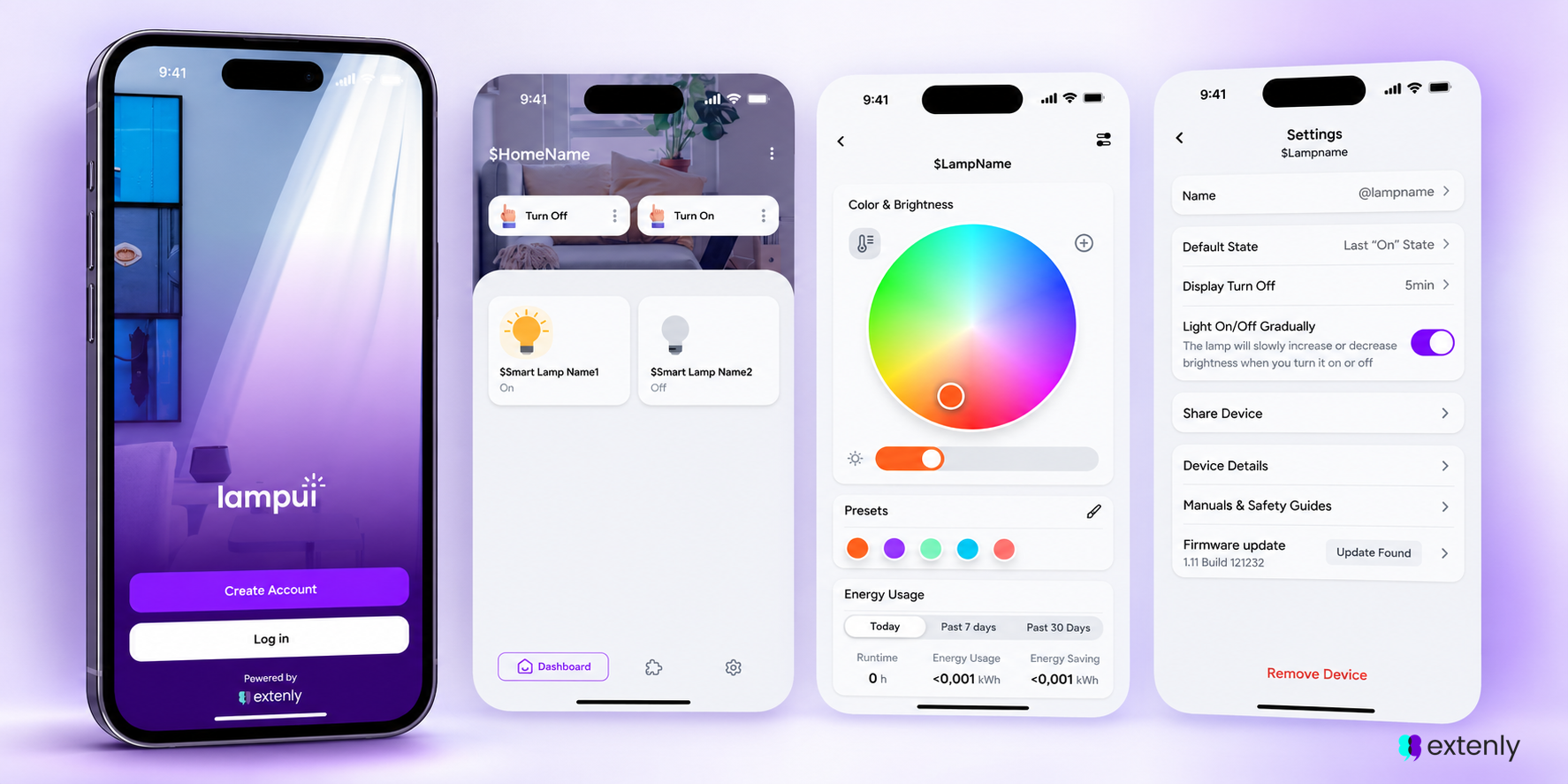
The phone app used the same Qt 6.8.2/QML codebase style, was built with Qt for Android and reused most of the device’s QML components, including the custom style and the pixel-sampling color picker. For MQTT, it linked the AWS SDK for C++ (1.11.316, with its CRT libraries), cross-built for Android.
| Setting | Value |
|---|---|
| Qt | 6.8.2 for Android |
| NDK | 28.2.13676358 |
| minSdk / targetSdk | 28 / 34 |
| ABIs | armeabi-v7a, arm64-v8a |
| AWS SDK | aws-sdk-cpp 1.11.316 + CRT |
Initial sync in the prototype worked as follows: on startup, the client subscribed to shadow/get/accepted and published an empty message to shadow/get. AWS returned the full shadow document, which populated the UI before the user interacted with it.
The prototype stayed in sync through /update/documents. After the initial sync, the client subscribed to shadow/update/documents. Each message carried both the previous and current document, so change detection did not require a local cache.
The client published desired state with the same debounce pattern as the device: UI changes set a dirty flag, and a 1 s timer published state.desired.current_state to shadow/update. In the demo, values were sent as JSON strings (“brightness”: “50”) while the device reported integers, forcing each parser to handle both. For a production version, we would define one JSON type and use it on both sides, as in the shadow document described earlier.
Threading
The SDK’s MQTT calls ran on dedicated worker threads, one per connection, so a slow network never blocked the QML scene graph. The shared cloud handler was guarded by a mutex: an early build crashed on Android when two threads raced to create it.
Identity: the part to do properly
For the demo, the app shipped with an X.509 certificate bundled as a Qt resource and copied to AppDataLocation at startup because the SDK expected file paths. That was acceptable on a bench but not for real users: anyone who unpacked the app package received a valid IoT identity. For a production version, we would authenticate users with Amazon Cognito and connect over MQTT on WebSockets with SigV4, or provision a certificate per user and give the phone its own narrowly scoped policy.
Lessons learned
The demo worked, but building it surfaced several issues that informed the production direction.
- Serial I/O was one of the prototype’s limitations. The command processor used blocking waitForReadyRead() calls with timeouts of 5–10 s on the main thread. On a healthy link, this cost about 100 ms per command and caused visible stutter. With a wrong or unavailable port, repeated timeouts froze the UI for most of a 5 s cycle. For production, we would move the serial port to a worker QThread or drive it asynchronously from readyRead.
- WiFi scans required a disconnected module. ExpressLink returned ERR18 ACTIVE CONNECTION for AT+DIAG SCAN while it was connected to AWS. First-time setup worked because an unconfigured lamp was not connected yet; rescanning later required a disconnect, scan and reconnect sequence.
- The prototype also exposed the cost of compile-time configuration: the serial device and shadow device topic names were constants toggled by comments per build. For production, we would read the port from a config file and build the topics from AT+CONF? ThingName so one binary could serve every lamp.
- The prototype reinforced the value of scoping the IoT policy from the beginning: a permissive policy hid identity mix-ups, while a scoped policy failed fast.
- The two clients also exposed a JSON schema problem: strings on one side and integers on the other led to per-field parsing differences. A production version would define the shadow schema once and use it on both clients.
- Continuous gestures required special handling. Dragging the color pin generated events at the touch rate. Publishing only on release kept the link quiet after an initial approach was reverted and reworked.
What we would do differently today:
• For a new version, we would use the shadow’s /update/delta topic and named shadows instead of diffing whole documents.
• For mobile clients, the production direction would be Cognito with MQTT over WebSockets and the newer AWS IoT Device SDK for C++ v2 instead of the classic SDK.
• We would also build per-device SD images in CI rather than by hand.
Conclusion
A Qt/QML touch UI, a lean Gentoo image and an AWS IoT device shadow combined into a connected product with surprisingly little glue code. QML provided one UI codebase for the lamp and the phone, the shadow removed any need for the two to find each other on a network, and ExpressLink kept TLS and certificates off the Pi entirely. These patterns, a shared C++ state model, debounced publishing and an echo-loop guard, could carry over to other devices that needed both a local screen and remote control.
At Extenly, we design, develop and prototype cross-platform Qt applications with a strong focus on embedded devices, from the Linux platform up to the cloud link. If you are planning a connected device with a touch UI, get in touch and let us help bring it to life.